GPS Speed Display Review for Everyday Drivers
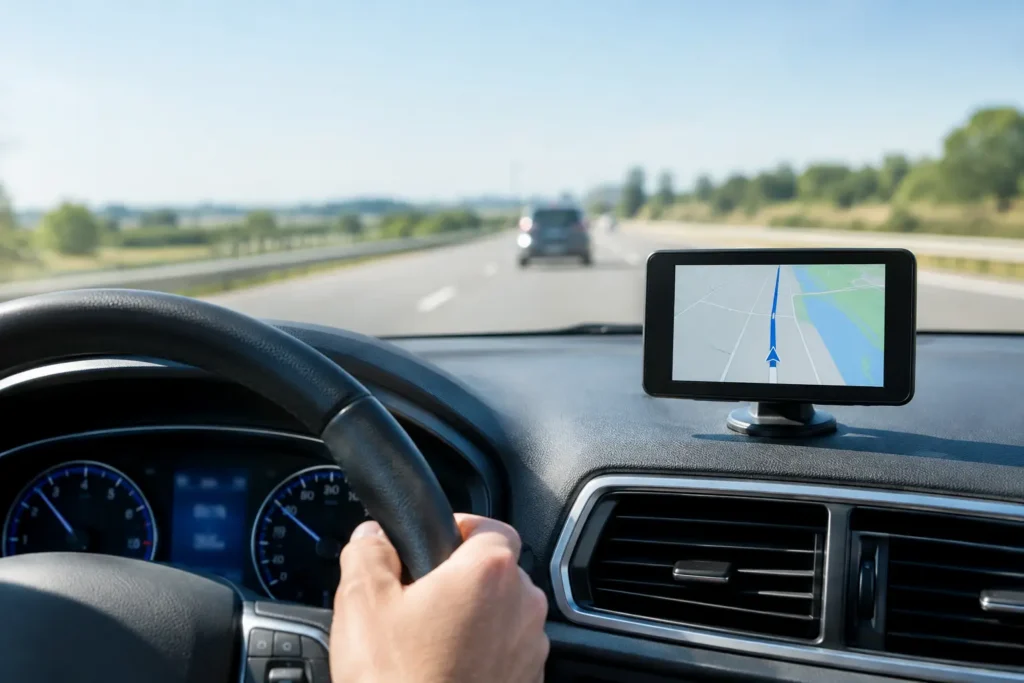
A highway speed limit drops from 70 to 55, and the number on your dashboard does not quite match the number on your phone. That is the moment a GPS speed display earns its place in the car. This GPS speed display review looks at what these tools do well, where they fall short, and which features matter when you need a clear, dependable speed reading.
A GPS speed display can be a dedicated dashboard unit or an app that uses a phone’s GPS receiver. Both are designed to show ground speed rather than wheel speed. That distinction matters: a vehicle’s factory speedometer often reads slightly high by design, while GPS measures how quickly the vehicle moves across the ground.
What a GPS Speed Display Is Actually Good At
The best use case is simple. You want a large, easy-to-read speed number that is independent of the vehicle gauge. That is useful in older cars, work vehicles, rental cars, motorcycles, and vehicles with aftermarket tire sizes that may affect the factory speedometer reading.
It is also useful when the dashboard display is hard to read. A phone mounted at eye level can provide a cleaner number than a small analog gauge. On a long drive, trip distance, average speed, maximum speed, compass heading, and altitude can add useful context without turning the screen into a distraction.
For drivers who tow, travel frequently, or move between speed zones, the value is less about novelty and more about confirmation. A GPS display gives you another data point. It should not replace awareness of road signs, traffic, weather, or local laws.
GPS Speed Display Review: Accuracy Comes First
Under open sky and steady movement, GPS speed is generally very accurate. A good receiver can often report speed within a small margin, especially on a highway where the vehicle is moving consistently. In many cars, that number may be closer to true road speed than the dashboard gauge.
The limitation is signal quality. GPS needs a view of satellites. Tall buildings, dense tree cover, steep terrain, parking garages, tunnels, and heavy weather can all affect performance. When signal quality drops, the display may lag, freeze briefly, or take time to settle on the correct speed.
Acceleration and deceleration expose another trade-off. A GPS display usually updates quickly enough for normal driving, but it may not react as instantly as a vehicle speed sensor during abrupt changes. The difference is rarely meaningful on a relaxed road trip. It can matter if you expect a live, race-style instrument readout.
Phone quality also matters. A newer phone with a strong GPS chip and stable connection typically performs better than an older device running a crowded battery. If the app allows high-frequency updates, drivers may see a more responsive number, but that can increase battery use.
Readability Matters More Than Extra Features
The most capable app is not the best choice if you cannot read it in one glance. A useful display uses large numerals, high contrast, and a layout that does not bury speed beneath maps, ads, or tiny trip metrics.
Daylight is the real test. Bright sunlight can wash out a phone screen, particularly when the device is mounted low or angled toward a side window. A quality speed display should offer a bright day mode, an automatic dark mode for night driving, and controls that remain visible without excessive glare.
Heads-up display mode can be helpful, but it has limits. Many apps can mirror the screen so the speed reflects off the windshield. The effect depends on the windshield angle, interior lighting, phone placement, and glass type. In some vehicles, the reflection is sharp enough to be useful. In others, it appears doubled or too dim to trust.
Treat a phone HUD as a convenience feature, not a guaranteed replacement for a dedicated projection system. Test it safely while parked before relying on it after dark.
Trip Tools Are Useful When They Stay Simple
A basic speed number serves most drivers. Still, trip data can make a GPS speed display more practical for road trips and regular business travel. Odometer-style distance tracking, trip duration, average speed, route history, and maximum speed are the features most people will use.
The key question is whether that information can be reset and reviewed without friction. If starting a new trip requires several menus, the feature will likely go unused. Good tools let you begin or end a trip quickly, show the current trip distance clearly, and keep separate readings for total distance and temporary trips.
Speed alerts can also help, but they need restraint. A configurable warning when you exceed a selected speed can be useful in a construction zone or on a road with frequent limit changes. Constant alarms are not useful. They train drivers to ignore the app and add noise to the cabin.
Offline operation deserves attention as well. GPS itself does not require cellular service, but some features do. A speed display should continue showing speed and recording basic trip data when cellular coverage disappears. Maps, traffic information, and cloud syncing may not work without a connection, but the core speed function should.
Phone App or Dedicated GPS Display?
For most drivers, a phone app is the practical starting point. It is inexpensive, easy to test, and can combine a speedometer, HUD, compass, and trip computer in one screen. It also receives updates, which can improve display options and fix problems over time.
The trade-off is setup. You need a secure mount, a charging cable for longer drives, and a placement that does not block your view. Heat is another concern. A phone sitting in direct sun behind the windshield can overheat, dim its display, or stop charging when the cabin gets hot.
A dedicated GPS display costs more but can be the better fit for drivers who want a permanent, no-fuss instrument. It avoids phone notifications, preserves phone battery, and may have a display designed specifically for sunlight. On the other hand, it adds another device to the dashboard and may offer fewer trip features than a well-built app.
The answer depends on how often you use it. For occasional trips, a phone-based display is usually enough. For daily commercial driving, long-distance travel, or a vehicle without a usable speedometer, dedicated hardware may justify its cost.
Check These Details Before You Rely on One
Before using any GPS speed display as part of your normal driving routine, test it on familiar roads. Compare its reading with your factory gauge at several steady speeds. A small difference is normal, but a large or inconsistent gap can point to poor signal, a weak phone mount location, or an app setting that needs attention.
Also check whether the screen remains readable with polarized sunglasses, whether the app keeps the display awake, and whether it drains the battery during a one-hour drive. Make sure the phone mount is stable over bumps and positioned legally. Windshield and dashboard mounting rules vary by state, and no display is worth creating a visibility problem.
Finally, look at the privacy settings. A speed display may request location access, which is necessary for its core function. Route logging, cloud backups, analytics, and background location collection are separate decisions. Choose only the permissions that support features you plan to use.
The Right Standard for a Useful Display
A good GPS speed display does not need a crowded dashboard or dozens of novelty gauges. It needs to show speed accurately when GPS conditions are good, remain readable in changing light, and keep working when a drive leaves cellular coverage behind.
If it also records clean trip data and gives you sensible controls over alerts and privacy, it can become a tool you use on every long drive. Start with the display you can read quickly, test it against your vehicle on familiar roads, and let real-world use decide whether you need more hardware.