Automated Trip Logging for Fleet Management: A 2026 Guide
Table of Contents
- What Is Automated Trip Logging and Why It Matters
- How GPS Telematics Powers Automated Trip Logging
- IRS Mileage Log Requirements and Compliance
- Fleet Safety and Driving Analytics for Accountability
- Automated Mileage Tracking Apps: Software vs. Hardware Solutions
- Cost Reduction and Operational Efficiency Gains
- Implementing Automated Trip Logging: A Practical Roadmap
- Data Security and Privacy Considerations
Last Updated: August 10, 2026
What Is Automated Trip Logging and Why It Matters
Automated trip logging records vehicle movement, distance, and route details without manual data entry. GPS-enabled systems capture location data in real time, creating an audit trail that meets regulatory requirements while eliminating handwritten logbooks.
For fleet operators, the difference is critical. Manual mileage entry introduces human error, creates compliance gaps, and wastes time. Automated systems capture precise start and end points, stops, and idle time, exactly what the IRS, DOT, and insurance auditors expect.
The real value spans three areas: compliance (meeting legal documentation standards), operational insight (understanding where time and fuel are spent), and accountability (creating transparent records that protect drivers and management). Automated trip logging makes data collection effortless through mobile apps and hardware solutions that work offline, a critical feature for drivers in areas with spotty cellular coverage.
Automated trip logging eliminates manual entry errors, creates audit-ready compliance records, and provides operational visibility to reduce costs and improve safety.
How GPS Telematics Powers Automated Trip Logging
GPS telematics combines Global Positioning System signals with wireless communication to transmit vehicle location, speed, and movement patterns to a central server. The system collects data points at regular intervals, typically every 5-30 seconds, recording latitude, longitude, altitude, speed, and timestamp. When connected to the internet, this data syncs to a server where it’s processed into trip summaries, route maps, and performance analytics, all automatically.
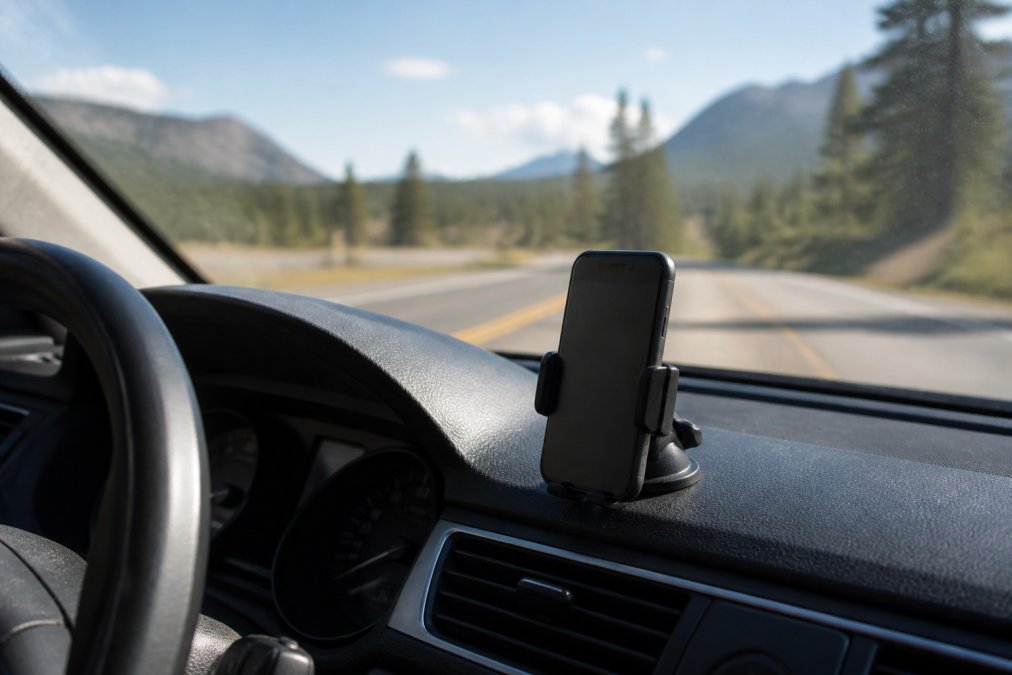
Real-Time Vehicle Tracking and Route Optimization
Real-time tracking allows fleet managers to see vehicle locations on a live map, monitor current speed, and identify route deviations. This visibility helps dispatch reassign drivers to closer jobs, alerts managers when vehicles are used outside authorized areas, and provides evidence if a driver disputes a speeding citation or accident claim.
Route optimization uses historical trip data to identify efficient paths between locations. By analyzing completed routes and accounting for traffic patterns, telematics systems recommend faster alternatives for future trips. Drivers following optimized routes typically complete more deliveries per shift while reducing fuel consumption.
Offline Capability and Accuracy in Remote Areas
A critical feature often overlooked is offline functionality. A GPS receiver doesn’t require cellular service to determine location, only a clear view of the sky and satellites. This means telematics apps continue recording trips in areas with no cell signal, then upload data once connectivity is restored.
For truck drivers on rural routes, construction crews in remote locations, and delivery drivers in areas with patchy coverage, offline capability is non-negotiable. This scenario plays out daily in real fleet operations, which is why offline functionality is essential in any trip logging solution you evaluate.
GPS accuracy varies by environment. In open sky conditions, consumer-grade GPS is typically accurate to within 16 feet. In urban canyons with tall buildings, accuracy degrades to 50+ feet. Telematics systems account for this by using multiple data sources: GPS when available, cellular tower triangulation when GPS is weak, and dead reckoning when neither is reliable.
IRS Mileage Log Requirements and Compliance
The IRS requires specific documentation for business mileage deductions. Automated systems that meet these requirements provide legal protection while simplifying record-keeping.
What the IRS Requires in a Business Mileage Log
IRS Publication 463 specifies four required elements: the date of the trip, the number of miles driven, the business purpose, and the destination. Digital logs must provide the same information in an auditable format.
The critical phrase in IRS guidance is "contemporaneous written statement", the record must be created at or near the time of the trip, not reconstructed weeks later. An automated system that records trips in real time satisfies this requirement because the timestamp proves when data was captured.
For business use, you must distinguish between commute miles (not deductible) and business miles (deductible). A telematics system creates a record of where you went and when, making categorization simple. Some platforms integrate with accounting software to streamline this classification.
How Automated Systems Meet Audit Standards
An automated trip log creates an audit trail nearly impossible to fabricate. Each trip is timestamped with GPS coordinates for start and end points, distance calculated from satellite data, and route recorded as location points. If an auditor questions a trip, you can show the exact route taken, duration, and calculated mileage.
The system also creates a continuous record. A handwritten log with gaps raises red flags. An automated system either has complete data or shows periods when the vehicle wasn’t tracked, which is explainable. Consistency matters in audits; a complete digital record is more defensible than a partial manual one.
Handwritten mileage logs created weeks after trips are frequently rejected in IRS audits. Automated systems that timestamp data at the moment of travel provide the contemporaneous documentation the IRS requires and significantly reduce audit risk.
Fleet Safety and Driving Analytics for Accountability
Driving analytics transform raw telematics data into actionable insights about driver behavior, vehicle condition, and operational safety. This data serves as both a coaching tool and a liability protection mechanism.

Driver Behavior Monitoring and Risk Reduction
Telematics systems track metrics that correlate with accident risk: hard braking, rapid acceleration, speeding, and cornering g-force. Studies show drivers with lower risk scores have fewer accidents.
A driver who brakes hard frequently is either responding to poor road conditions or following too closely, both safety issues. By flagging these behaviors, fleet managers can intervene with targeted coaching. This approach works better than blanket policies because it’s data-driven and specific.
Preventative Maintenance Through Vehicle Diagnostics
Modern vehicles broadcast diagnostic data through the OBD-II port, a standard interface that telematics systems can read. This data includes engine temperature, oil pressure, tire pressure, battery voltage, and error codes indicating developing problems.
By monitoring these signals continuously, fleet managers can schedule maintenance before failures occur. A tire pressure alert allows you to top off tires before a blowout. An oil pressure warning lets you add oil or schedule service before engine damage. Preventative maintenance reduces downtime, extends vehicle lifespan, and prevents catastrophic failures.
Automated Mileage Tracking Apps: Software vs. Hardware Solutions
Fleet managers choosing a trip logging system face a fundamental decision: app-based tracking on smartphones or dedicated hardware devices.
Mobile App-Based Tracking
Mobile app solutions run on smartphones and tablets, using the GPS receiver already present in the device. This approach requires no additional hardware investment. Apps provide GPS tracking, trip logging, speed monitoring, and HUD display functionality on Android devices.
The advantages are clear: low cost, simple deployment, and familiar user interface. Updates roll out automatically, and features improve without hardware replacement. The GPS Speedometer Android App exemplifies this approach, offering precise trip logging with offline capability for drivers in areas with unreliable cellular coverage.
The trade-offs involve battery consumption and reliance on driver compliance. GPS and continuous data transmission drain batteries faster than normal phone use. Additionally, if a driver disables the app, tracking stops, creating gaps in your audit trail.
Mobile apps work best for operations where drivers already use smartphones for navigation or dispatch.
OBD-II Device Integration
OBD-II devices are small hardware units that plug into the diagnostic port under a vehicle’s dashboard. They draw power from the vehicle’s electrical system and communicate via cellular or Bluetooth to transmit vehicle data.
These devices excel at capturing vehicle diagnostics, engine codes, and fuel consumption that smartphone apps cannot access. They’re also tamper-evident; a vehicle either has the device installed or it doesn’t.
The trade-offs involve hardware cost and installation. OBD-II devices don’t provide a driver interface like a smartphone app. They’re designed for fleet management visibility rather than driver coaching.
OBD-II solutions work best for larger fleets where hardware cost is amortized across many vehicles and where the priority is operational visibility and maintenance tracking.
Cost Reduction and Operational Efficiency Gains
Automated trip logging generates cost savings across fuel consumption, administrative labor, maintenance, and insurance premiums.
Fuel Cost Optimization Through Trip Data
Fuel is typically the largest controllable expense in fleet operations. Trip data reveals where fuel is wasted: excessive idling, inefficient routes, aggressive acceleration, and speeding all increase fuel consumption.
Idle time is often the biggest surprise. A driver waiting for a loading dock might leave the engine running for 30 minutes. Multiply that across dozens of drivers daily, and you’re burning thousands of gallons annually for zero productivity. Telematics alerts allow you to coach drivers to shut down engines during waits.
Route optimization reduces distance traveled. Historical trip data identifies inefficient patterns and allows dispatch to suggest better routes. Aggressive driving increases fuel consumption by 10-40% depending on severity. When drivers see their own fuel efficiency data, many self-correct without needing management intervention.
Reducing Administrative Overhead
Manual mileage logging requires someone to process handwritten entries: transcribing data, checking accuracy, categorizing business vs. personal miles, and reconciling with fuel purchases. For a fleet of 50+ vehicles, this is a part-time job.
Automated systems eliminate this work. Trip data is captured, categorized, and available for reporting with no manual entry. Integration with accounting software allows trip data to flow directly into expense reports and tax filings.
Implementing Automated Trip Logging: A Practical Roadmap
Deploying a trip logging system requires planning across technology, operations, and driver management.
Step 1: Assess Your Fleet’s Current Tracking Needs
Define what you need to track and why. Are you primarily concerned with compliance documentation? Driver safety? Maintenance scheduling? Fuel optimization? Your answer determines which features matter most.
Also assess your infrastructure. Do drivers have smartphones? Is cellular coverage reliable across your service area? Do vehicles have OBD-II ports? These practical constraints narrow your options.
Step 2: Choose the Right Solution for Your Operations
Based on your needs and infrastructure, evaluate solutions. For fleets prioritizing driver coaching and compliance with smartphone-based implementation, mobile apps provide trip logging, speed monitoring, HUD display, and offline capability in a single application.
Test with a pilot group before full rollout. Deploy the system to 5-10 vehicles for 2-4 weeks, gather driver feedback, and refine your processes.
Step 3: Integrate with Expense Management and Accounting
Trip logging data is only valuable if it connects to your existing business systems. Integration with accounting software allows trip data to populate mileage deductions, fuel expense tracking, and tax filings automatically.
Also establish data governance: who can access trip data, how is it retained, and what privacy protections apply? For operations with union drivers or in jurisdictions with strict employee monitoring laws, these questions have legal implications.
Step 4: Train Drivers and Set Accountability Standards
The best system fails if drivers don’t understand how to use it or don’t believe management is serious about compliance. Invest in clear training on how the system works, what data it captures, and how it’s used.
Be explicit about accountability standards. If you’re monitoring speed, specify what constitutes a violation and what the consequences are. Also establish feedback loops so drivers see their own data, speed trends, fuel efficiency, and safety scores. When drivers view the system as a coaching tool rather than surveillance, adoption accelerates.
Data Security and Privacy Considerations
Automated trip logging creates detailed records of vehicle movements and driver behavior. This data requires protection from both cybersecurity and privacy perspectives.
From a cybersecurity standpoint, telematics systems are increasingly targeted by attackers. Ensure your system uses encrypted data transmission, secure authentication, and regular security updates.
From a privacy perspective, drivers have legitimate concerns about location tracking. Legal requirements vary by jurisdiction and employment type. Some states require explicit employee consent before implementing location monitoring. Union contracts may restrict how tracking data is used. Before deploying a system, consult with legal counsel to understand your obligations.
Establish clear data retention policies: how long is trip data stored, who can access it, and under what circumstances is it deleted? Transparent policies build driver trust and reduce legal exposure.
Automated trip logging transforms how fleets manage compliance, safety, and costs. The shift from manual logbooks to GPS-enabled systems eliminates administrative burden, creates audit-ready records, and provides the operational visibility needed to make data-driven decisions.
For drivers and fleet managers seeking a reliable, offline-capable solution, the GPS Speedometer Android App delivers precise GPS tracking, trip logging, speed monitoring with HUD display, and driving analytics on Android devices. The app’s offline functionality ensures continuous tracking even in areas with spotty cellular coverage, a critical feature for trucks, RVs, and delivery operations working in remote regions.
IRS Publication 463 on business mileage documentation requirements
NHTSA guidelines on fleet safety and telematics systems
DOT regulations on electronic logging devices and driver hours
Download the GPS Speedometer Android App today and replace manual trip logs with accurate, automated tracking that protects your compliance record and improves your operational efficiency.
Frequently Asked Questions
What is automated trip logging in fleet management?
Automated trip logging uses GPS tracking and telematics to record vehicle movement, distance traveled, and route details without manual data entry. The system captures start and end points, mileage, timestamps, and often driver behavior metrics. This eliminates paper logbooks and reduces errors while creating an audit trail that meets IRS mileage log requirements and supports regulatory compliance for commercial fleets.
Are there specific IRS requirements for business vehicle mileage logs?
Yes. The IRS requires business mileage logs to document the date, location, distance traveled, and business purpose of each trip. Records must be contemporaneous (recorded at or near the time of travel) and substantiated. Automated trip logging systems that timestamp entries, capture GPS coordinates, and generate reports satisfy these IRS mileage log requirements better than manual logs, reducing audit risk and supporting legitimate deductions.
How do automated mileage tracking apps improve fleet safety and driving analytics?
Automated mileage tracking apps monitor driver behavior including speed, acceleration, braking, and route adherence. Fleet managers access real-time dashboards showing vehicle locations, trip history, and performance metrics. This fleet safety and driving analytics capability identifies risky behaviors, enables coaching, reduces accidents, and supports preventative maintenance alerts based on vehicle diagnostics, lowering insurance costs and improving operational safety.
What's the difference between mobile app-based tracking and OBD-II hardware solutions?
Mobile app-based solutions use smartphone GPS and require no hardware installation, offering flexibility and lower upfront costs. OBD-II devices plug into the vehicle's diagnostic port and provide richer vehicle data (engine diagnostics, fuel consumption, fault codes). Apps work offline in rural areas; OBD-II devices need connectivity. Choose apps for simplicity and cost-effectiveness, OBD-II for deep vehicle diagnostics and fleet-wide standardization.
This article was written using GrandRanker