How to Report Road Maintenance Issues to Public Works
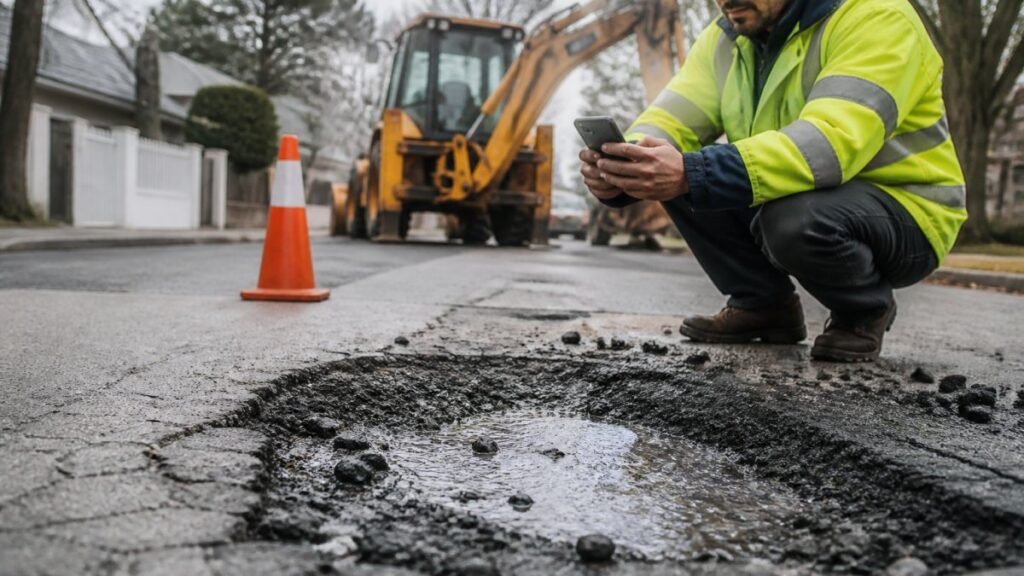
Last Updated: October 28, 2026
Quick Summary
To report road maintenance issues to public works, first confirm which agency owns the road, then submit a service request form with the location, issue category, photos, and your contact info. City streets go to local public works, county roads to the county, and state highways to the state DOT.
- Check the route marker, state DOT ownership map, or local GIS viewer to identify the responsible agency.
- Save your confirmation number so you can follow up on the request later.
- Include direction of travel and a scale reference like a shoe in photos.
- Agency priority order runs from immediate hazards to safety issues to routine maintenance.
- Never stop in a travel lane to photograph road damage.
Table of Contents
- Before You Report: Identify Who Owns the Road
- How to Submit a Road Maintenance Request Form Online
- How to Report a Pothole and Other Pavement Damage
- What to Include in a Public Works Service Request
- Phone, App, and In-Person Reporting Options
- How to Check Your Road Repair Request Status
- What Happens After You Submit and How Repairs Are Prioritized
- Download the GPS Speedometer App to Document Road Issues
- Frequently Asked Questions
Before You Report: Identify Who Owns the Road
The first step in reporting road maintenance issues to public works is figuring out which agency actually owns the road.
A complete report sent to the right agency can help make the process more efficient. Here’s how to make yours count.
Road ownership generally breaks down like this:
- City or town streets: the local public works or streets department
- County roads: the county road commission or county transportation department
- State highways and interstates: the state department of transportation (DOT)
- Federal lands and park roads: the relevant federal land agency
- Private roads and parking lots: the property owner, not the government
How to Look Up the Responsible Agency
Most people guess wrong because the road in front of their house may be city-maintained while the road two blocks over is a county route. Use these lookups in order:
- Check the route marker. Interstate shields and state route signs point to the state DOT. A county route marker (often a small pentagon or rectangle) points to the county. Plain street name signs usually mean city or county control.
- Use your state DOT’s road ownership map. Most state DOTs publish an interactive functional classification or ownership map that shows whether a segment is state, county, or municipal. Search “[your state] DOT road ownership map” or “functional classification map.”
- Try the city or county GIS viewer. Many local governments publish a parcel and street GIS map that labels the maintaining agency for each segment.
- Call the city or county switchboard. Ask which department handles maintenance requests for that specific stretch. Give cross streets, not just a street name.
- Check the state DOT’s reporting page. If the road appears on a state route, the state DOT’s own reporting channel is usually the right one.
When two agencies could plausibly own a segment, submit to the one you believe is responsible and note in the description that ownership may be shared. Many agencies forward misrouted requests internally rather than closing them.
Common Ownership Edge Cases
- Frontage roads parallel to interstates are often state-owned even though they look local.
- State routes that run through city limits are frequently maintained by the state DOT, not the city, even on city streets.
- New subdivisions may still be under the developer’s maintenance bond, not the city.
- Private community roads behind a gate are the homeowners association’s responsibility.
Get this step right and everything after it gets easier. If you are unsure, the safest move is to call the city or county and ask before you fill out a form.
How to Submit a Road Maintenance Request Form Online
Search your city or county website for a road maintenance service request form.
Follow these steps:
- Search your city or county website for “report a road issue” or “service request.”
- Create an account if the portal requires one, so you can track the request later.
- Pick the issue category from the dropdown list.
- Enter the location, using a street address or cross streets.
- Describe the problem in plain terms.
- Upload photos if the form allows it.
- Submit and save your confirmation number.
If the portal lets you drop a pin on a map, use it to provide a specific location.
Choose the closest matching issue category if the form provides one.
How to Report a Pothole and Other Pavement Damage
To report a pothole, use the same service request form and select the pothole or pavement damage category. Then add photos, a precise location, and a note on how deep or wide the damage looks. Clear evidence can help describe the issue.
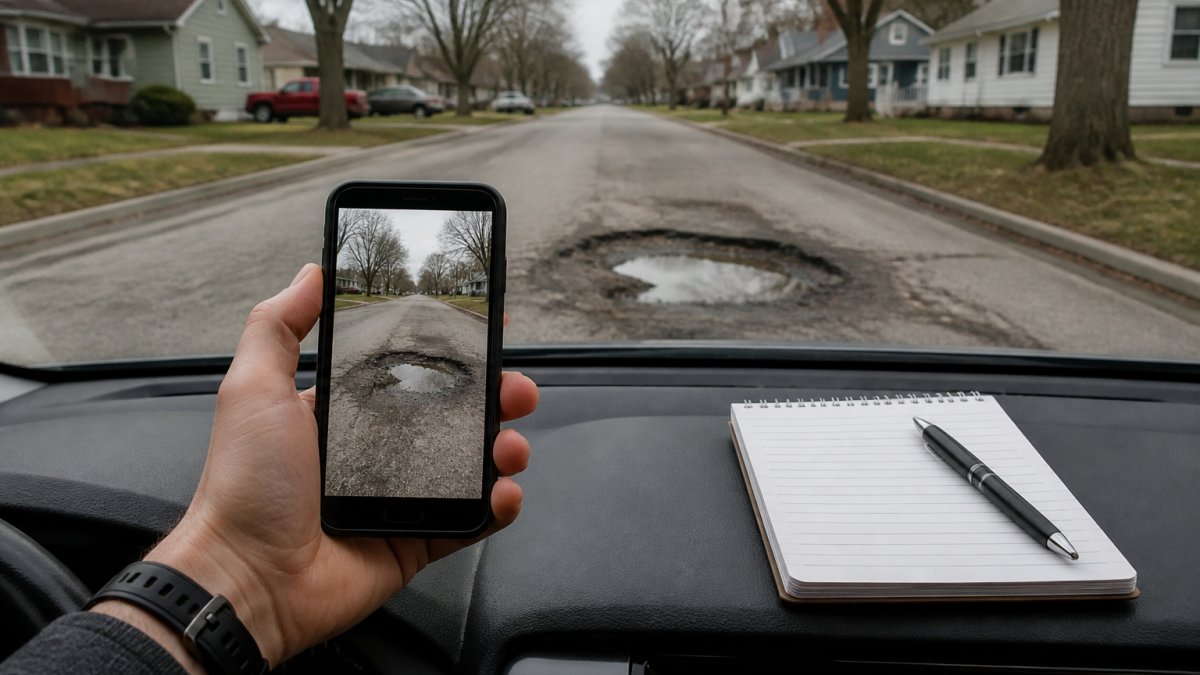
Pavement damage covers more than potholes. Report these too:
- Cracked or heaved pavement
- Sinkholes and depressions
- Broken curbs and gutters
- Faded or missing lane markings
- Damaged guardrails and signs
For a pothole, include something for scale in the photo, like a shoe or a tire.
If the damage sits on a state highway or interstate, skip the city form and use your state DOT’s reporting channel instead. They maintain those roads.
Related reading: if the problem is a missing or damaged sign rather than pavement, see how to report missing speed limit signs to authorities.
What to Include in a Public Works Service Request
A public works service request can include location, category, description, evidence, and your contact info.
Here’s a checklist to run before you hit submit:
- Street address or nearest cross streets
- City or county and ZIP code
- Correct issue category
- One or two clear photos
- A short description of the hazard
- Direction of travel, if the issue is on a road
- Your name and a callback number or email
Why Each Item Matters
Location. Use a street address or the nearest cross streets, and a map pin if the portal offers one.
Category. Pick the closest matching category if the form provides one.
Description. Keep it factual and specific. “Deep pothole in the right lane, about a foot wide, hard to avoid at speed” tells a crew more than “bad road.” Include the direction of travel so the crew knows which lane to inspect.
Evidence. Include a clear photo with something for scale, like a shoe or a tire, and take it from a safe position off the roadway. Never stop in a travel lane to take a photo.
Contact info. A callback number or email can provide a way for the agency to contact you.
Getting the Location Right
Location accuracy matters more than most people realize. Phone GPS can drift several meters, and a dropped pin on a map can land on the wrong side of a divided highway. Before you trust a pin, understand what causes GPS drift and how to minimize it. For a plain-language look at how reliable phone GPS readings are, see how accurate satellite speed readings are.
If the portal offers a map pin, check that it marks the location you intend to report.
What Not to Include
- Do not include license plate numbers of other drivers unless the issue involves a crash or hazard caused by a specific vehicle.
- Do not include medical details or personal information beyond what the agency needs to reach you.
- Do not attach large video files unless the portal explicitly accepts them; many forms cap uploads and will reject the submission.
A complete report can include direction of travel and a scale reference in the photo.
Phone, App, and In-Person Reporting Options
If you do not want to fill out a web form, check which reporting channels your local public works department offers.
Phone: Check your city or county website for a public works number or other reporting contact.
Mobile app: Check your city website to see whether it provides a reporting app.
In person: Check with your local public works department to see whether it accepts in-person requests.
Email: Check whether your local department accepts reports by email.
For immediate safety hazards, contact the appropriate local emergency or public works service. If someone is hurt or a crash has just happened, call 911.
Accessibility note: if the online form isn’t usable for you, check with the agency about other ways to submit a report.
How to Check Your Road Repair Request Status
Check the agency’s website or contact the agency to ask how to follow up on your road repair request.
| Status | What it usually means |
|---|---|
| Received | The request is logged and waiting for review |
| Assigned | A crew or inspector has been tasked |
| In progress | Work is scheduled or underway |
| Closed | Repaired, or determined not to be the agency’s responsibility |
If you have questions about a request’s status, contact the agency.
If the agency provides a confirmation number, keep it for follow-up.
What Happens After You Submit and How Repairs Are Prioritized
After you submit, the agency determines how to review and prioritize your request.
- Immediate hazards: sinkholes, missing signs, debris in a travel lane
- Safety issues: deep potholes, broken guardrails, damaged signals
- Routine maintenance: cracks, faded markings, minor curb damage
- Cosmetic items: low-priority fixes worked into larger projects
Response times and repair schedules vary. Contact the responsible agency for information about a specific issue.
If a problem affects your block, neighbors can also submit reports.
Download the GPS Speedometer App to Document Road Issues
Accurate location and speed data can be useful when documenting a trip.
The app provides GPS speed tracking, HUD mode, and trip logging.
For more information, see our GPS speed display review for everyday drivers to compare accuracy, HUD readability, and the real limits of phone-based tools.
Features that help when documenting road issues:
- Offline GPS tracking that works in rural areas with spotty service
- Trip logging so you can revisit the exact route later
- HUD mode for at-a-glance speed without looking down
- Speed limit awareness to flag stretches where limits and conditions don’t match
Frequently Asked Questions
Who is responsible for highway maintenance?
Responsibility depends on the road type. Local roads and residential streets are typically handled by city or county public works departments. State highways and interstates fall under the state department of transportation. To find the right agency, use your state DOT’s online road ownership map or call your city’s public works office and provide the street address. Knowing the owner can help you direct your road maintenance request to the appropriate agency.
What information should I include when reporting a pothole?
Include the exact location (street address, nearest cross street, or mile marker), a clear photo of the pothole with a size reference, the date and time you observed it, and whether it poses an immediate safety hazard (e.g., in a travel lane or near a blind curve). Also note any vehicle damage it has caused. This detail can help describe the issue and its location.
How long does it take for public works to repair a road issue?
Response times vary. Contact the responsible agency to ask about the expected timeline for a specific road issue.
Can I check the status of a road maintenance request?
Check with the agency to learn whether it offers a way to follow up on your road maintenance request.
Reporting a road problem takes five minutes, but a complete report is what gets it fixed. The next time you spot a pothole or a broken sign, open the app, capture the location, and file a request with confidence. Get started with Edmond Industries and turn every drive into better road data.
