7 Steps to Test Speedometer Accuracy With GPS
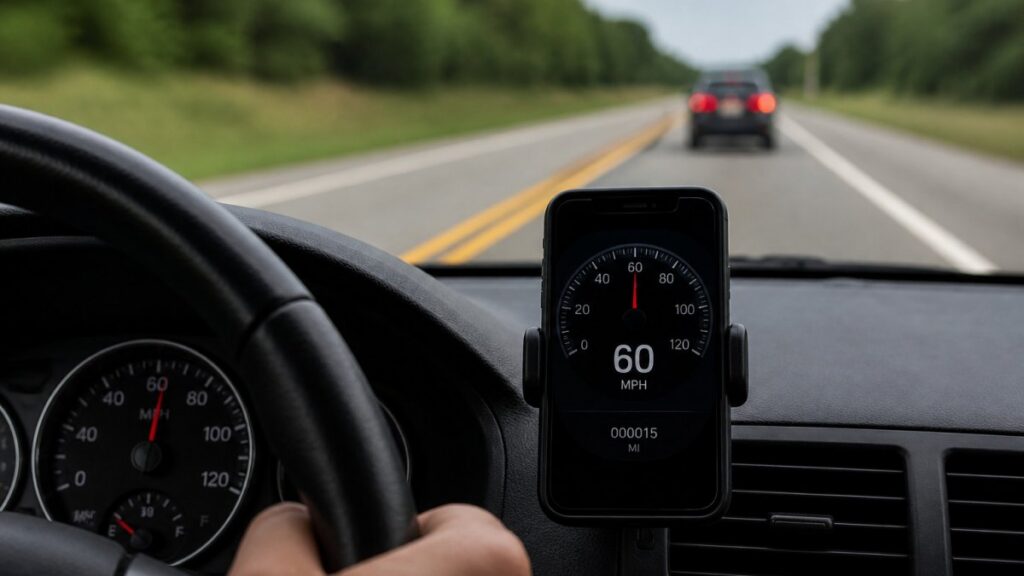
Last Updated: October 27, 2026
Quick Summary
To test speedometer accuracy with GPS, mount a phone with a GPS speedometer app, drive a straight level road at steady speeds, and record both readings at the same moment. Repeat at several speeds in both directions, then calculate the percentage error between the two readings.
- Warm up the vehicle for 10 to 15 minutes before recording any readings.
- Hold each target speed for at least 15 to 20 seconds before recording.
- Test at 25, 45, and 65 mph, repeating each speed in both directions.
- Percentage error equals dashboard speed minus GPS speed, divided by GPS speed, times 100.
- A constant error across speeds suggests tire size, while growing error suggests a sensor or calibration issue.
Table of Contents
- Why GPS and Your Speedometer Show Different Speeds
- How GPS Calculates Speed and How a Vehicle Speedometer Measures It
- What You Need Before You Start a GPS Speed Test
- Step-by-Step: How to Check Speedometer Accuracy With GPS
- Testing Across Multiple Speeds and Directions
- Understanding GPS Accuracy Limits and Measurement Uncertainty
- Choosing the Best GPS Speedometer App for Your Test
- Your Next Step: Run the Test on Your Own Vehicle
- Frequently Asked Questions
Why GPS and Your Speedometer Show Different Speeds
Your dashboard says 62 mph, but your GPS app says 58. Which one is right? Most drivers assume the dashboard is wrong, yet the answer depends on how each system measures speed. Testing speedometer accuracy with GPS gives you a clear way to find out. To compare GPS speed against built-in speedometer accuracy, see GPS speedometer vs built-in accuracy.
A GPS receiver works out speed by timing signals from satellites. Your car’s speedometer works differently. Two different methods, two different sources of error.
Here is why the numbers often split:
- Tire size changes the math. A speedometer assumes a set tire circumference. Larger or worn tires cover more ground per turn than the car expects.
- Tire pressure matters. Underinflated tires shrink slightly, which can make the speedometer read high.
- Factory calibration has a margin. Many automakers build speedometers to read slightly high on purpose, so they never read low.
- GPS has its own error. Buildings, trees, and cloud cover can make satellite readings drift.
So the question is not simply which reading is “right.” It is how far apart they are, and whether that gap stays consistent at different speeds.
How GPS Calculates Speed and How a Vehicle Speedometer Measures It
GPS speed comes from satellite signals. The receiver compares how position changes over time and turns that change into a speed. Modern phones update this many times per second, which is why a good GPS app reacts quickly when you accelerate.
A vehicle speedometer uses a speed sensor tied to the transmission or wheel. It counts rotations and multiplies them by the tire circumference.
Because the two methods are independent, they make a useful pair. When both agree closely, you can trust the reading. When they disagree, the gap tells you something.
What You Need Before You Start a GPS Speed Test
Gather these items before you drive:
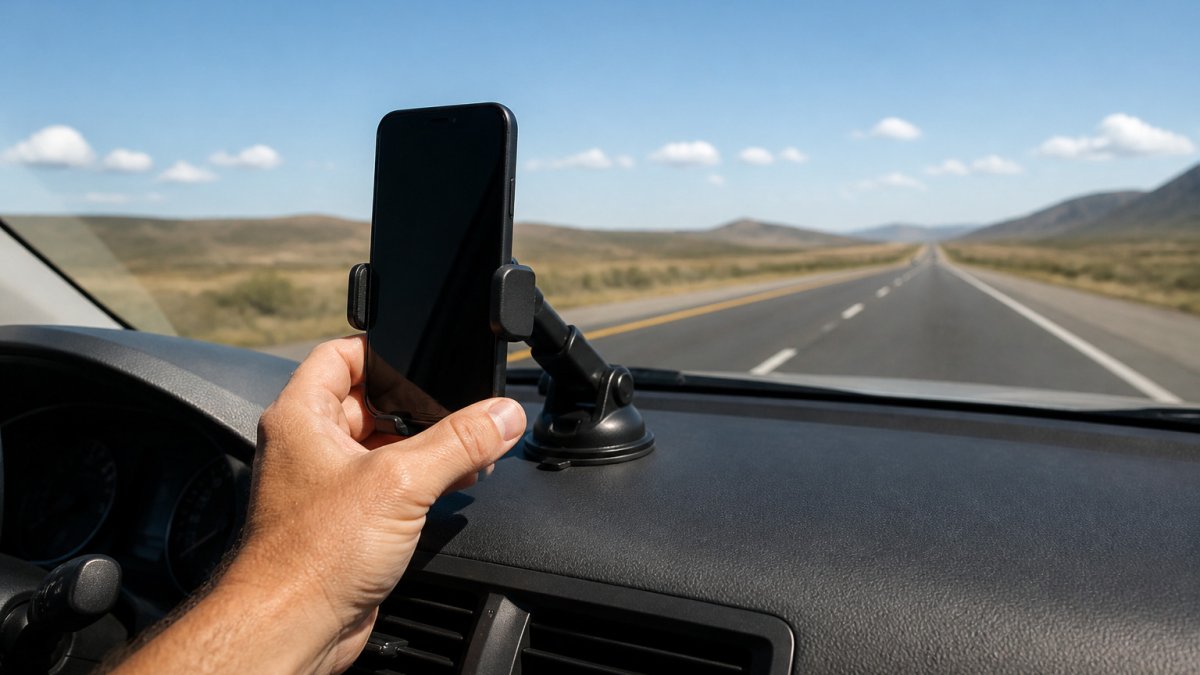
- A smartphone with a GPS speedometer app that logs speed
- A phone mount that keeps the screen visible and steady
- A fully charged phone or a car charger
- A road for testing
- A way to check tire pressure with a gauge
Set up the phone so the GPS has a clear sky view. Mount it on the windshield or dashboard away from metal objects that could block signals. Turn on high-accuracy location mode in your phone settings.
Check your tire pressure against the number on the driver’s door placard. Inflate to that spec before you start, because pressure changes the tire’s effective size.
Watch out: Do not check the app or your dashboard while you drive. Set up the phone before you leave, and have a passenger record readings if you need to.
![A driver’s hand holding a smartphone mounted on a dashboard mount, with a clear windshield view of an open highway under daylight | section:What You Need Before You Start a GPS Speed Test]
Step-by-Step: How to Check Speedometer Accuracy With GPS
A useful speedometer test is not a single glance at two numbers. It is a short, repeatable procedure that controls for acceleration, road grade, wind, and GPS noise. Follow the protocol below and you will end up with a percentage error you can actually trust.
Step 1: Prepare the phone and the app
Mount the phone where it has an unobstructed view of the sky and where you can see the screen without looking down for long.
Step 2: Choose a test road
Pick a straight, level stretch of highway with light traffic and known mile markers. Avoid roads with recent resurfacing, construction zones, or steep grades. A divided highway with a posted 55 mph or 65 mph limit works well because you can hold a steady speed without impeding traffic.
Step 3: Warm up the vehicle
Drive for 10 to 15 minutes before recording anything. Tire pressure and temperature stabilize during this period, and the speed sensor and transmission reach operating temperature. Cold tires read slightly differently than warm ones.
Step 4: Run steady-speed passes
For each target speed, accelerate gently to the target, engage cruise control if available, and hold the speed for at least 15 to 20 seconds before recording. This lets the GPS filter settle and removes the lag from the acceleration phase. Record the dashboard reading and the GPS reading at the same instant, ideally with a passenger noting both.
Step 5: Repeat at multiple speeds and in both directions
Run the pass at 25 mph, 45 mph, and 65 mph, and repeat each speed in the opposite direction. Two directions cancel the effect of road grade and steady wind, which bias a single-direction run. Aim for at least three passes per speed per direction. More passes reduce the influence of any single noisy reading.
Step 6: Record and organize the data
Build a simple table with columns for target speed, direction, dashboard reading, GPS reading, difference, and percentage error. Keep every pass, including outliers, and note the conditions (weather, traffic, road type) next to each run.
Step 7: Calculate the difference and percentage error
For each pass, subtract the GPS speed from the dashboard speed to get the raw difference. Then convert that to a percentage using the formula below. Average the percentage error across all passes at the same speed, then across all speeds, to get a single figure for your vehicle.
Worked example
Suppose you run three passes at a target of 65 mph and record these pairs:
| Pass | Dashboard (mph) | GPS (mph) | Difference (mph) | Percentage error |
|---|---|---|---|---|
| 1 | 66 | 63 | +3 | +4.8% |
| 2 | 65 | 62 | +3 | +4.8% |
| 3 | 66 | 63 | +3 | +4.8% |
Percentage error = (Dashboard speed − GPS speed) ÷ GPS speed × 100
For pass 1: (66 − 63) ÷ 63 × 100 = 4.8%. A consistent +4.8% across passes means the speedometer reads high by roughly that amount. At an indicated 65 mph, your true speed is about 62 mph.
If the same vehicle shows a +4.8% error at 65 mph but only +1.5% at 25 mph, the error is speed-dependent, which points to a calibration or sensor issue rather than tire size. A constant percentage across all speeds points to tire circumference.
Do not check the app or the dashboard while you are driving. Set up the phone before you leave, and have a passenger record readings, or rely on the app’s logging feature and review the data after you park.
![A driver’s hand holding a smartphone mounted on a dashboard mount, with a clear windshield view of an open highway under daylight | section:Step-by-Step: How to Check Speedometer Accuracy With GPS]
Testing Across Multiple Speeds and Directions
One speed tells you little. Test at 25, 45, and 65 mph, then repeat the runs in both directions. Errors can change with speed, and road grade or wind can affect a single direction more than the other.
Averaging the two directions helps cancel out the effect of hills and wind. If your speedometer reads high at every speed by a similar percentage, the cause is likely tire size. If the error grows at higher speeds, check the sensor or calibration.
Understanding GPS Accuracy Limits and Measurement Uncertainty
A GPS speed reading is an estimate, not a laboratory measurement. Understanding where the uncertainty comes from lets you decide whether a gap is real or just noise.
Where GPS speed error comes from
- Update rate. Consumer phone GPS typically updates position once per second, and the derived speed is a smoothed value over that interval. To learn how to troubleshoot common tracking errors that skew results, see troubleshooting common GPS tracking errors. A 1 Hz update rate means a hard acceleration or braking event can lag the dashboard by a fraction of a second. Apps that interpolate to 5 Hz or 10 Hz reduce visible lag but do not create new information.
- Signal quality. Open sky gives the best fix. Urban canyons, tunnels, dense tree cover, and parking structures cause multipath reflections that shift the computed position and therefore the speed. A fix that drops from 12 satellites to 4 will produce a noisier speed trace.
- Device placement. A phone on the dashboard sees more sky than one in a cupholder or a pocket. Metalized windshields on some vehicles attenuate GPS signals, so test the mount location before relying on it.
- Changing speed. GPS speed is a rate of change of position. During steady cruise the reading is stable; during acceleration or braking the reading trails the true speed by the update interval. This is why the protocol above calls for holding speed for 15 to 20 seconds before recording.
- Altitude and terrain. Steep grades change the geometry of the satellite fix and can introduce small speed errors on long climbs or descents.
What counts as a real difference
Rerun the test on a clear day on open road before drawing a conclusion. A gap that persists across multiple passes, multiple speeds, and both directions is worth investigating.
Estimate versus measurement
A single side-by-side reading is an estimate. A controlled measurement requires repeated passes, a stable signal, a known road, and a recorded dataset. If you only need to know whether your speedometer is roughly right, one or two passes will do. If you are diagnosing a persistent discrepancy, chasing a tire-size change, or preparing to argue with a shop about a sensor fault, run the full protocol and keep the data.
GPS is not a calibration instrument. Repeated testing can help assess differences.
When to seek inspection or calibration
If the error changed suddenly after a tire replacement, a lift kit, or a gear ratio change, consider having a mechanic inspect the vehicle. Document your test results before the visit.
Choosing the Best GPS Speedometer App for Your Test
Look for an app that provides the features you need for your test. Before trusting any app’s readings, read this guide to calibrating mobile speedometer apps.
Edmond Industries’ GPS Speedometer for Android is built for this kind of testing. It offers accurate GPS speed tracking, trip logging, and an offline mode that keeps working in rural areas where signal drops. It also includes a heads-up display, so you can watch speed without looking down. Check the GPS Speedometer Android App page for current features and availability.
Whichever app you use, check its readings on a route before relying on them.
Your Next Step: Run the Test on Your Own Vehicle
Run the test on a quiet road. Use the steps above, record multiple speeds, and calculate the percentage difference. For a trusted method that compares GPS data, dashboard readings, and measured distance, see Vehicle Speed Verification You Can Trust.
If you have a persistent discrepancy, consider consulting a mechanic.
Frequently Asked Questions
How do I test if my speedometer is accurate?
Drive at a steady speed on a straight road with a clear sky view, and compare your dashboard reading with a GPS app that shows speed in mph. Hold a steady speed while taking the readings. Repeat the run at a few speeds, then calculate the percentage difference between the two readings. Doing the test in both directions on the same road helps reduce the effect of wind, grade and short-term GPS fluctuations on your results.
Are GPS speedometers more accurate than car speedometers?
GPS speed is calculated from satellite position changes over time, so it does not depend on tire size or wheel rotation. A GPS speedometer’s readings depend on signal quality and the speed being measured.
Why does my speedometer show a different speed than GPS?
Differences come from several sources. Tire size changes the distance covered per wheel rotation, so a tire that differs from the factory size will shift the reading. GPS readings can drift when satellite reception is poor, such as near tall buildings or under heavy tree cover. Comparing readings at a steady speed reduces most of these short-term effects.
How long does it take for GPS speed to stabilize?
Take readings while cruising at a steady speed.
